Odhaľte svoju jazdu

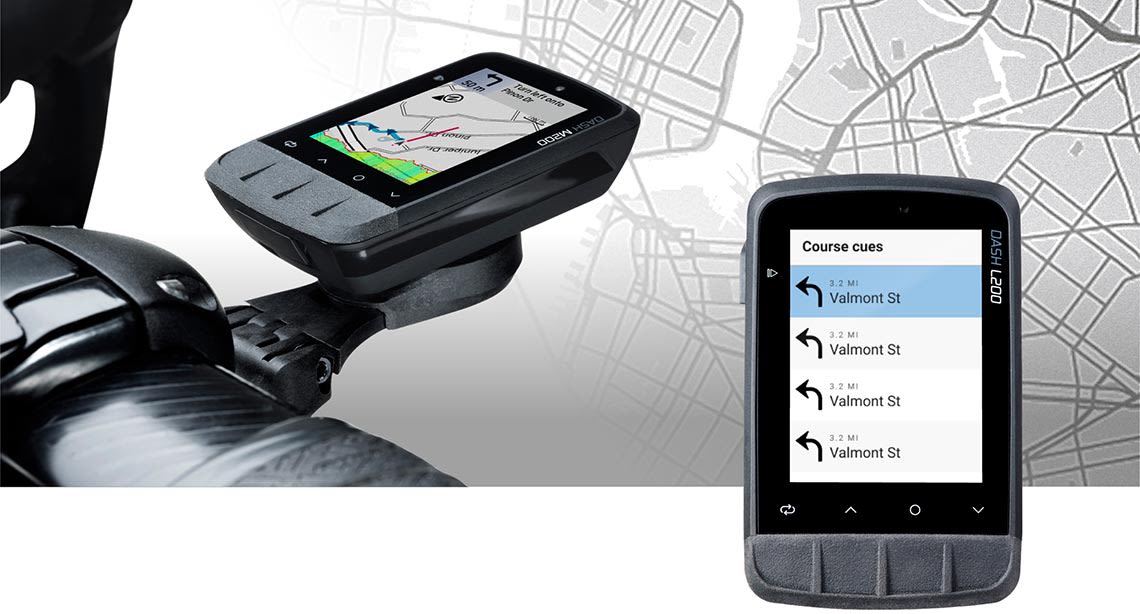
Úplne nové cyklopočítače Dash od Giant odhaľujú tajomstvá stať sa KOM, QOM alebo možno len miestnou legendou. Umožňujú vám pripojiť sa, prispôsobiť, trénovať a objavovať jednoduchšie ako kedykoľvek predtým. Giant Dash L200 a M200 poháňané Stages sú praktickým, presným a výkonným spôsobom, ako demystifikovať všetky vaše jazdné dáta.

Jednoduchý štart

Stiahnite si aplikáciu Stages Cycling pomocou rýchleho skenovania QR kódu z obrazovky. Odpovedzte na niekoľko otázok a Giant Dash sa rýchlo a presne nakonfiguruje presne pre vás.
Stiahnite si na Apple Store

Stiahnite si na Google Play

Pre viac informácií o tom, ako začať s cyklopočítačom Dash M200 alebo L200, kliknite sem .

Úplná integrácia

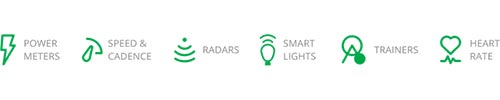
Rýchlo a jednoducho spárujte Dash so zariadeniami s podporou ANT+ alebo Bluetooth, ako sú merače výkonu, inteligentné trenažéry alebo inteligentné svetlá. Získajte prístup ku všetkým svojim údajom pomocou jedného ľahko použiteľného multifunkčného panela. Kompletná integrácia
100% synchronizovaný

Pripojte svoj telefón k Dash a už nikdy nezmeškáte žiadnu dôležitú správu ani hovor. Po dokončení jazdy nájdete všetky údaje o jazde okamžite nahrané cez aplikáciu Stages Link do vašich obľúbených aplikácií tretích strán, ako sú Strava alebo TrainingPeaks.
Pripravený, keď potrebujete

Smart Profile odstraňuje záhadu pri nastavovaní vášho počítača na cestnú, gravel, horskú alebo elektrickú jazdu. Automaticky sa pripojí k akémukoľvek senzoru, ktorý máte na bicykli, a nakonfiguruje dátové polia vášho Dash pre tento konkrétny zážitok. Potrebujete pridať ďalšie informácie k tomu, čo už existuje? Žiadny problém, jednoducho pridajte svoje vlastné panely alebo stránky, kam chcete.
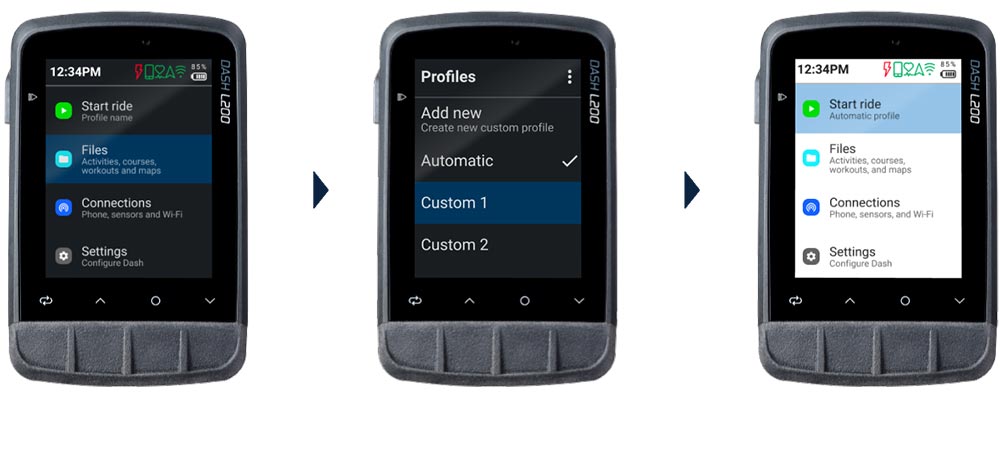
inteligentné profily na palubnej doske

Prispôsobiteľný

Pomocou aplikácie Stages Link môžete rýchlo a jednoducho prispôsobiť každú obrazovku a dátové pole vašim potrebám.
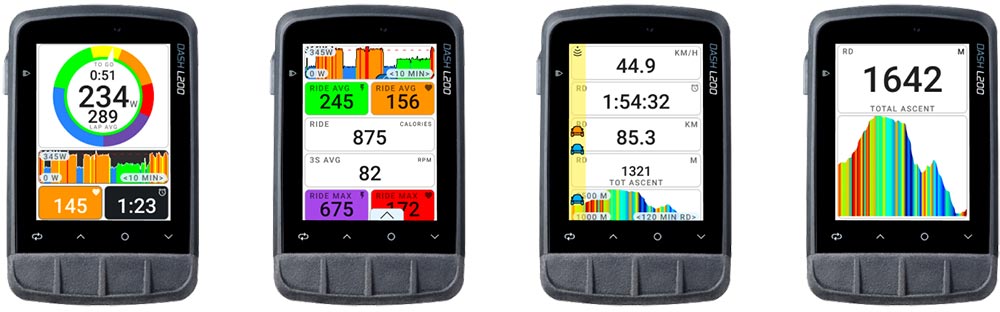
Prispôsobiteľný počítač

Pripojiteľný k Giant Ebikom

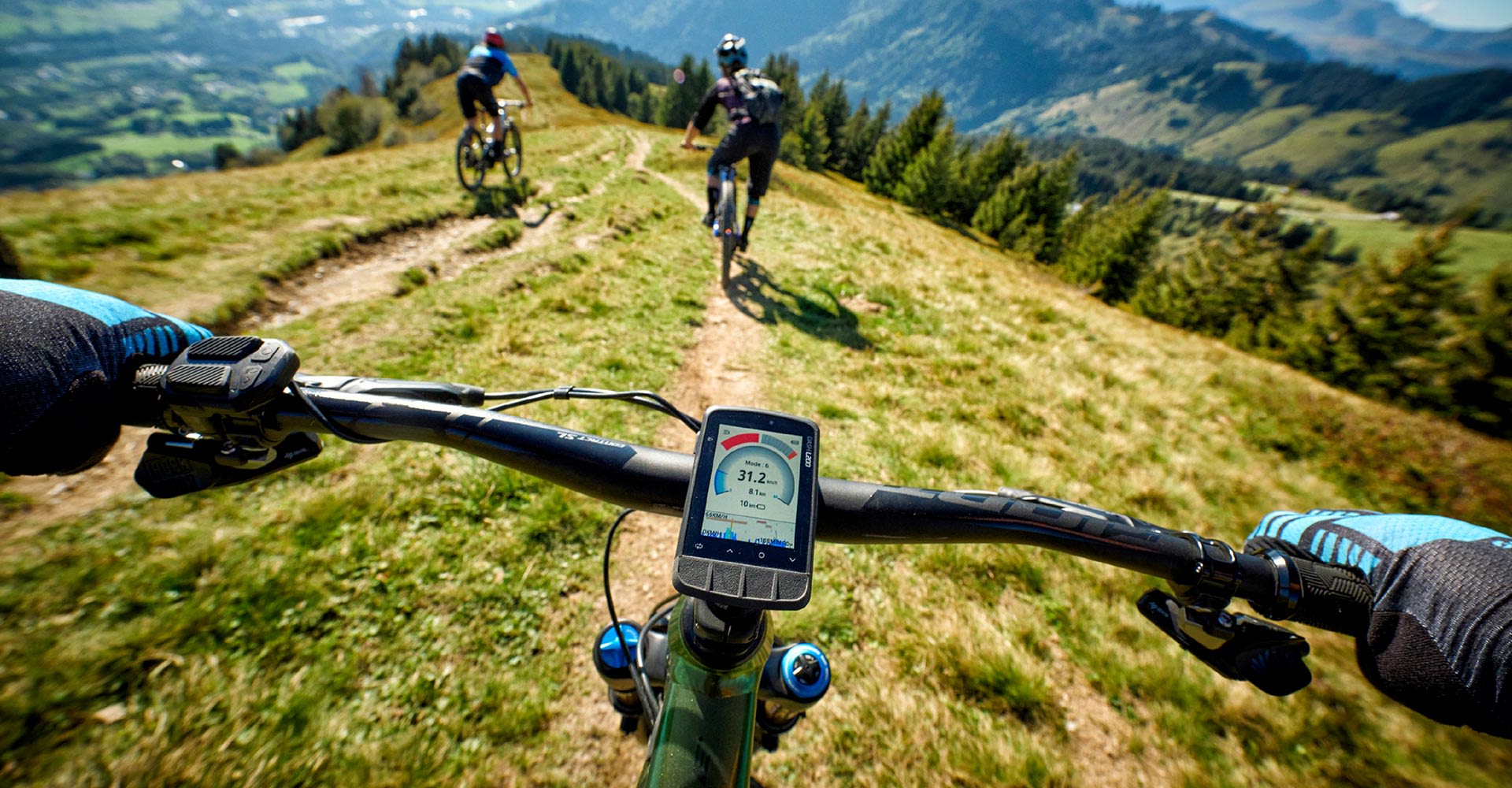
Dash, navrhnutý na bezproblémové pripojenie k Giant E-bikes cez ANT+, môže byť použitý ako displej na zobrazenie režimu motora, výkonu asistencie a životnosti batérie.
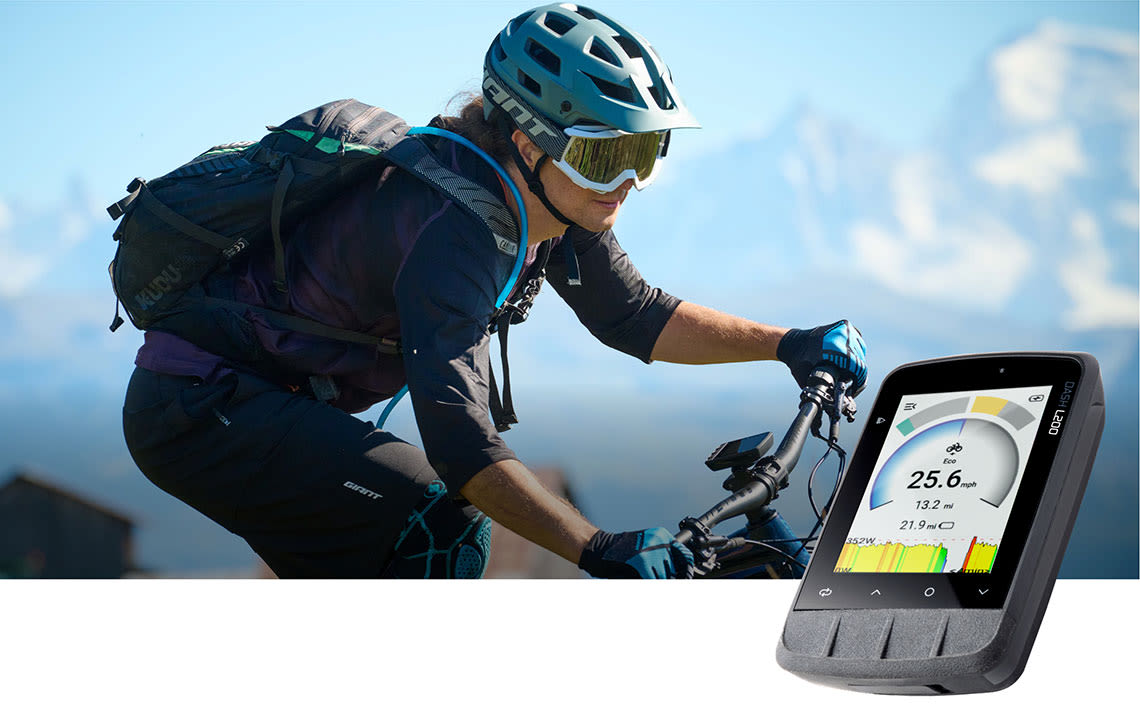
Ebike ready

Pripravený na tréning

Rozumie si s trenažérom
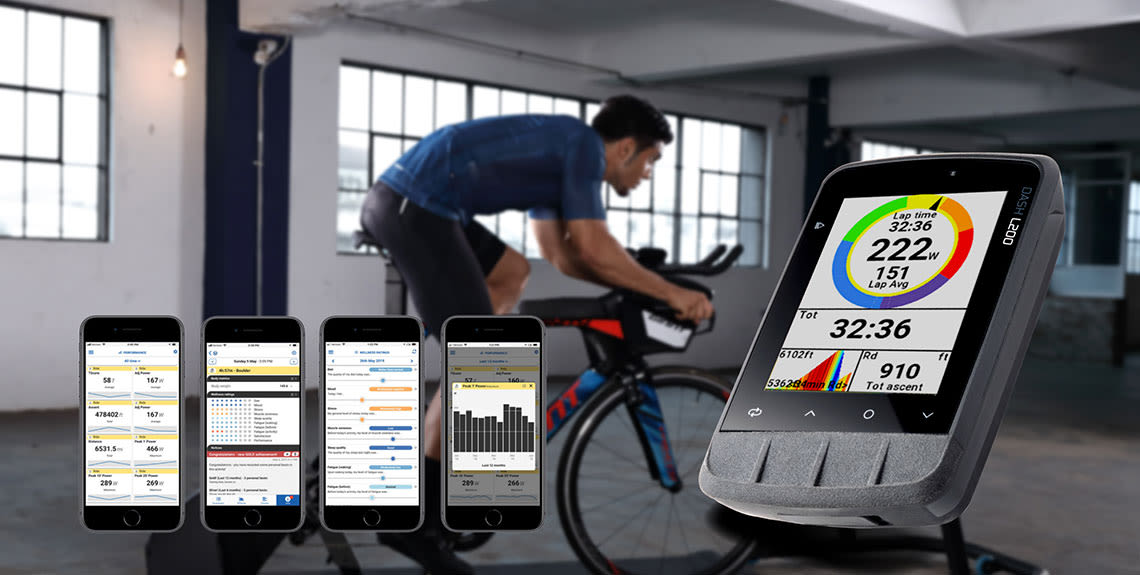
Vyriešte akýkoľvek zmätok v inteligentnom trénerovi automatickým pripojením Dash k akémukoľvek trenažéru s podporou ANT+. Odpor môžete jednoducho ovládať v rôznych režimoch ako ERG, Level alebo Sim.
Tréningový plán
Stiahnite si akýkoľvek vopred naplánovaný tréning v súboroch FIT alebo GPX alebo si vytvorte vlastný tréning prostredníctvom aplikácie Stages Link. Stačí ho synchronizovať so zariadením Dash a môžete ihneď začať trénovať.
Dáta
Demýtizujte svoje údaje o výkonnosti tým, že ich graficky znázorníte rôznymi spôsobmi pre dané časové obdobie. Potom ho môžete skontrolovať na základe metrík, ktoré sú pre vás najdôležitejšie.
dokódovanie dát

Mapy

X MARKS THE SPOT
Dash sa postará o to, aby ste sa nikdy nestratili s predinštalovanou Open Street Map špecifickou pre cyklistiku. Obsahuje farebne označené cesty, cyklistické pruhy, cyklistické chodníky, chodníky a ikony pre kľúčové body záujmu, ako sú cyklistické obchody, kaviarne a krčmy po celom svete.
Nájdi svoju cestu
S 16 GB úložného priestoru ponúka Dash podrobnú navigáciu so súbormi FIT, GXP a TCX. Keď jazdíte na trati, dostanete rolovaciu tabuľku, aby ste vedeli, kam ísť na trasách, ktoré sa prekrývajú. Uvidíte tiež farebne odlíšený profil gradientu a vašu aktuálnu polohu pri stúpaniach.
Mapy

FAQ

  • The M200 features a compact 2.2” screen and the L200 features a larger 2.7” screen
  • Battery size is different to compensate for screen size difference
  • The standard mount included with each computer is different to compensate for size difference
  • Other than this, the computers are identical

  • A quick start guide with QR code
  • the Dash M200 or Dash L200 head unit
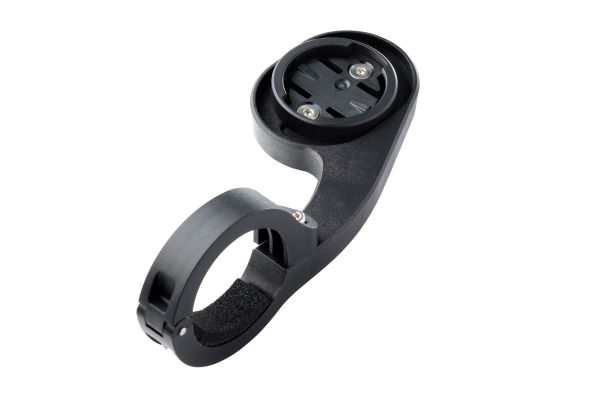
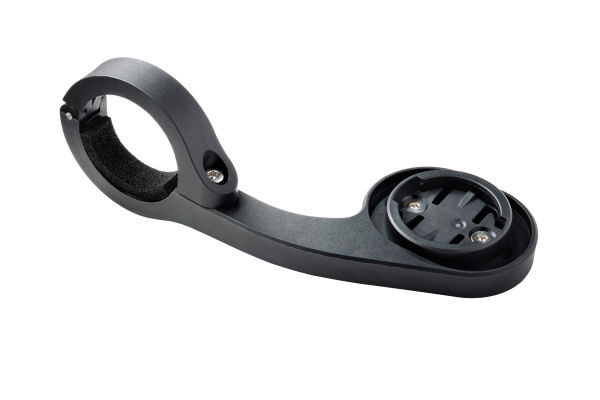
  • An out-front mount for a 31.8mm handlebar
  • A tether for extra safety
  • USB-A to micro USB charge cable

  • Pull back the rubber flap over the charge port and use the USB-A to micro-USB cable with your computer or any common USB wall charger.
  • The rubber flap over the charge port protects against dirt, but the charge port is also waterproof by itself.

Yes, You must fully charge your Dash computer before using it for the first time. This wakes up the lithium-ion battery from sleep mode and makes sure your Dash will have optimal run time.

  1. Make sure your Dash is updated to the latest firmware version and reboot. Click here for the latest firmware update.
  2. Make sure your Dash is fully charged with Sleep Mode disabled and let it run until the battery is fully drained. Fully charge Dash again and the battery level indicator will recalibrate.

When the battery level drops below 20%, Battery Saver Mode will activate to give 2 to 3 more hours of running time.

  • Open the Stages app on your smart phone.
  • Go to ‘PROFILE’.
  • Select the ‘CONNECTIONS’ tab.
  • Select the 3rd party app you’d like to connect to and follow the on-screen instructions.
  • Provide log-in data.
  • Enable up and downloading.

  • Turn on both your Dash and the sensor
  • On your Dash, Go to ‘CONNECTIONS -> MANAGE SENSORS -> ADD SENSOR’.
  • Select ANT+ or Bluetooth depending on your sensor
  • Select sensor from list.
  • If multiple sensors are around, they are sorted by signal strength. If you don’t know which one you need, take the sensor to a place away from other sensors so it appears at the top of the list.
  • Select ‘ADD TO ALL PROFILES’

Yes! Both the Dash M200 and L200 computers are fully compatible with ANT+ or Bluetooth compatible devices from other brands such as lights, smart trainers, radars, power meters, E-bikes and more!

  • Both Dash M200 and L200 computers come with a standard out-front mount.
  • Both computers use the industry-standard ‘Garmin-style’ quarter-turn mount for normal ‘portrait’ orientation.
  • If you use a ‘Wahoo-style’ mount, the computers can be used in ‘landscape’ mode.
  • Giant offers a wide variety of dedicated out-front mounts for drop bar aero, road and gravel bikes as well as over the stem mounts in both 31.8 and 35mm diameter for mountain and other flat bar bikes.
  • Dash computers are compatible with all ‘Garmin-style’ mounts from other brands.

Press the side button for two seconds

In the unlikely event of an unexpected issue or crash, press the side button for seven seconds. This will erase data from the current ride and reboot the unit. This action is not recommended and if you are experiencing frequent issues, please contact Stages technical support.

  • Download and install the Stages app on an Android or iOS device.
  • Create an account if you don’t have one and open the app.
  • In the Stages app go to the Bluetooth tab at the bottom of the screen.
  • Choose ‘ADD DEVICE’ and tap on QR code you see on the screen.
  • On your Dash, go to ‘CONNECTIONS -> PHONE -> Pair with Stages Cycling app’.
  • Scan the QR code on the Dash with your phone the Dash will do the rest!

  • Turn on your Dash, in range of the Wi-Fi network you want to use.
  • In the Stages app go to the Bluetooth tab at the bottom of the screen and select your Dash.
  • Use the tabs to navigate to ‘GENERAL’.
  • Tap ‘Wi-Fi’.
  • Select an available network.
  • Input the Wi-Fi network password.
  • Your Dash will directly connect to Wi-Fi, independently of the phone.

  • Turn on your Dash, in range of the Wi-Fi network you want to use.
  • In the Stages app go to the Bluetooth tab at the bottom of the screen and select your Dash.
  • Use the tabs to navigate to ‘MAPS’.
  • Use ‘ADD MAPS’ and select the map.
  • Your Dash will now use Wi-Fi to download the map.
stages cycling logo

If you have any further questions about your Dash computer or App,  click here for more information.