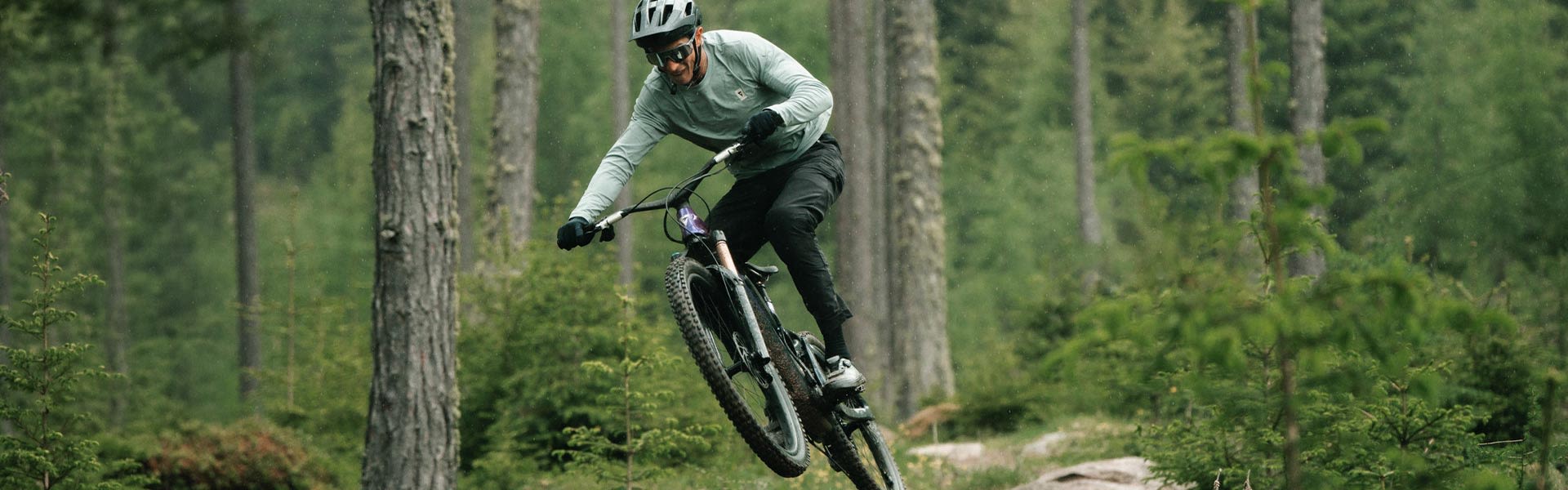
FOCUS STAYS ON THE TRAIL

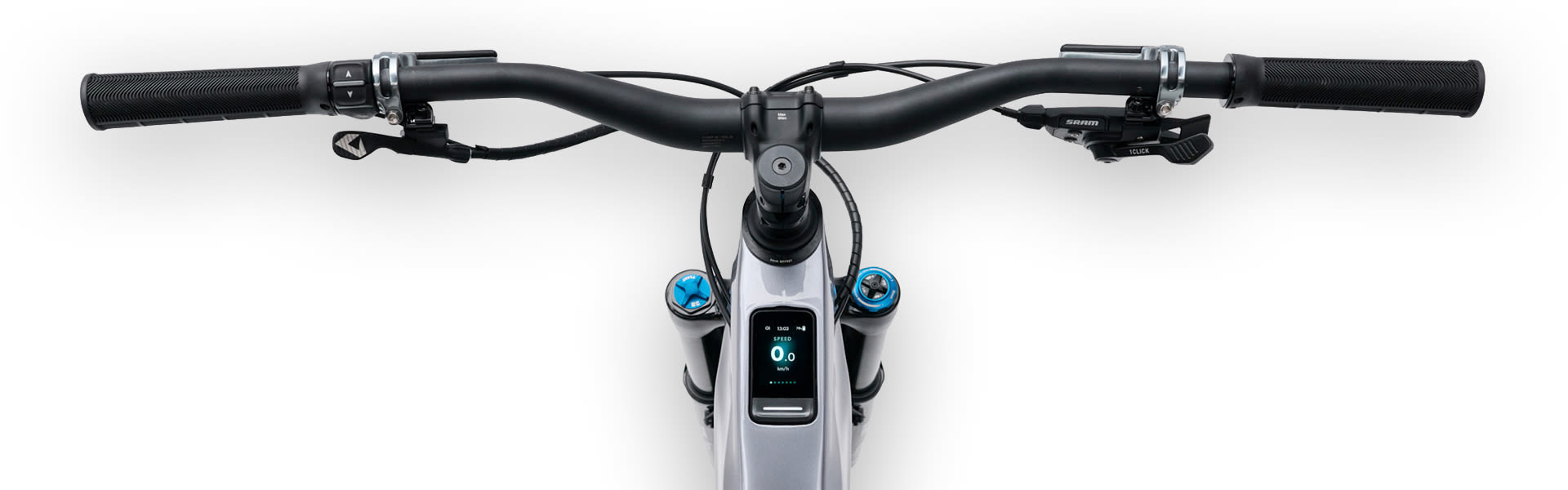
RideControl Go Lux makes it easy to view key ride information, such as remaining range, and control support levels, so you can stay locked into the line when terrain gets technical. Built into the top tube, it keeps the cockpit clean, so every glance gives you just what you need.

Available exclusively on the latest Giant E+ System E-bikes.

Person using RideControl Ergo 5

CONTROL FOR TRAILS

Pair with RideControl Ergo 4 or RideControl Ergo 5 to keep key functions close, so support changes feel quick, natural and focused on the trail.

RideControl Dash on Top Tube

TOP TUBE CLARITY

A high-resolution color display sits cleanly on the top tube, making ride data visible without adding clutter to the cockpit.

RideControl Dash

PERFORMANCE YOU CAN PUSH

Live speed, time, distance and cadence are always visible. Track your performance and turn information into motivation.

RideControl Dash in the rain

TOUGH BY DESIGN

Waterproof protection adds all-weather dependability through wet, muddy trail conditions.

RideControl Dash walk assist

WALK WITH EASE

Access Walk Assist when the trail gets too steep or tight, making it easier to push and guide your E-bike by hand.

RideControl Dash Range

RANGE AT A GLANCE

Battery status and remaining range are easy to read, allowing you to push deeper into your ride with more confidence.

Previous slide
Next slide

RIDECONTROL APP FEATURES

RideControl Go Lux helps you make quick decisions by putting ride data and support-mode information right where you can see it. Built into one integrated display, it allows you to manage your effort and deal with challenging terrain when every line, climb and descent require full commitment.

FIND THE LINE AHEAD

With the RideControl App, you can plan routes with confidence and follow turn-by-turn guidance through unfamiliar trails, linkups and new riding zones. Clear direction helps you stay on course without pulling attention away from the terrain in front of you.

SET THE SCREEN

Customize screens and data fields to show what matters most, giving you all the info you need with just a quick glance.

CUSTOMIZE

The terrain changes quickly, from steep climbs to fast descents. RideControl Go Lux puts essential data right on the top tube, easy for you to see so you can pace the climb, manage energy, and push harder when the trail opens.

Rider climbing rock on e-bike.
CLIMB
Track support, cadence and effort as the gradient rises, helping you hold rhythm, manage traction, and drive forward with control.
Rider on a trail riding an e-bike.
RANGE
Check remaining range before the trail pulls you deeper, so you can manage energy, choose your route, and push further with confidence.
Rider on e-bike descending down a hill
DESCENT
Read speed as the trail drops, giving you the clarity to stay composed, choose your line, and commit when the pace rises.
Rider on e-bike jumping on a trail.
SPRINT
Monitor cadence and speed when the trail opens, helping you surge forward, carry momentum, and make every effort count.

HOW IT WORKS

From the first touch, the E+ System is easy to manage. Clear buttons, customizable settings, and direct access to key functions make every command feel intuitive, whether you are starting your ride, changing support levels, or managing a quick stop.

FOCUS. CONTROL. FLOW.

RideControl Go Lux keeps key data visible from the top tube, while a paired RideControl Ergo 4 or RideControl Ergo 5 remotes puts screen navigation, support adjustments, Walk Assist and daily functions close to your natural hand position, so every command feels quick, simple and trail-focused.

LOCK FROM THE CONTROLLER

When your phone isn’t easily available, you can use E-Lock directly from the controller. Enter your personalized PIN on the display to lock or unlock your E-bike, making quick stops simpler and easier to manage.

SERVICE & SUPPORT

Helpful support resouces make RideControl Go Lux easier to set up, read and use on demanding rides. Form display checks and brightness settings to RideControl Ergo 4 pairing, alerts and connection support, these resources help keep key trail data clear when it matters.

DIAL TRAIL DATA

Use these quick guides to support screen setup, paired controls and key display function. Each one helps keep support changes, range and ride data easy to read, so your focus stays on the trail ahead.

Video RideControl Go Lux
RideControl Go Lux Overview

Frequently Asked Questions

First, check whether the display and E-bike system are working normally. If the E-bike turns on and functions correctly, the issue may only be related to the LED indicator.

Possible causes include water damage, impact damage or an internal LED issue.

No. The LED is part of the RideControl unit and should not be repaired or replaced by the user. Contact an authorized Giant retailer if support is needed.

Stop using the display if the screen is cracked or damaged. A cracked display may allow water or dirt to enter the unit and can affect system operation.

No. The display screen is not designed for user repair. Contact an authorized Giant retailer for inspection and replacement options.

Warranty coverage depends on the cause of damage and the warranty conditions in your market. An authorized Giant retailer can inspect the E-bike and advise you on the available options.

We do not recommend riding with a cracked display, especially in wet conditions. The display may become unreliable or allow water ingress.

First, check whether the brightness sensor is clean and not covered by dirt, a screen protector or accessories.

Depending on the E-bike system, software version and settings, display brightness may be fixed or controlled automatically by the brightness sensor. Check your user manual, RideControl App or bike settings for available display options.

Restart the E-bike, clean the display and sensor area with a soft cloth, and check whether the issue happens in both daylight and darker conditions. Also check whether the RideControl App or bike settings offer display brightness options.

If you cannot clearly read the display while riding, stop and check the system. Do not adjust settings while riding.

Use a soft plastic tool or other suitable soft tool if removal is required. Do not use metal tools or sharp objects that could damage the unit or frame.

Press the unit carefully back into the frame opening until it is properly seated. If it does not sit correctly or function after installation, contact an authorized Giant retailer.

Depending on the E-bike system and software version, audio alert behavior may be fixed or controlled through system settings. Check your user manual, RideControl App settings or contact an authorized Giant retailer for support.

Restart the E-bike, check whether the display and buttons work normally, and make sure the audio alert area is not blocked by dirt or accessories. Check whether the issue happens every time or only in one situation.

In many cases, the E-bike can still be ridden if the display and controls work normally. However, audio alerts may be used for important notifications, so we recommend having the system checked by an authorized Giant retailer.

If the display, buttons, support modes and E-bike system work normally, the bike may still be usable. Because the LED provides useful system feedback, we recommend having it checked by an authorized Giant retailer.

Contact an authorized Giant retailer if the display cable routing is difficult to understand, the display does not turn on, the buttons do not respond, audio alerts do not work, the power button LED does not work, the clamp is cracked or loose, the display screen is cracked, the display is too dark or unreadable, visible damage appears, or you are unsure whether the E-bike is safe to ride.