How to delete your RideControl App account
- Open your RideControl App
- Press the “Settings” button
- Scroll down to the “Delete account” button
- Press the “Delete account” button
Press the “Yes, delete my account” button to confirm. Your account will be deleted immediately from the RideControl App.
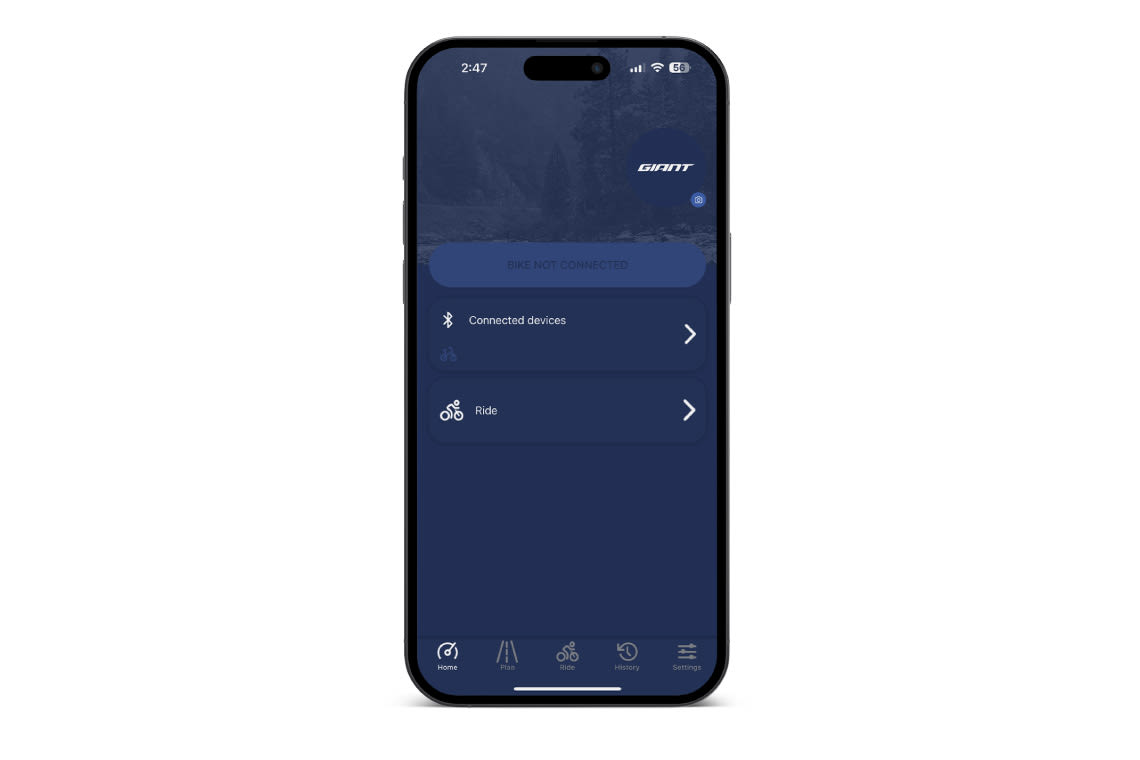
Step 1
Open your RideControl App
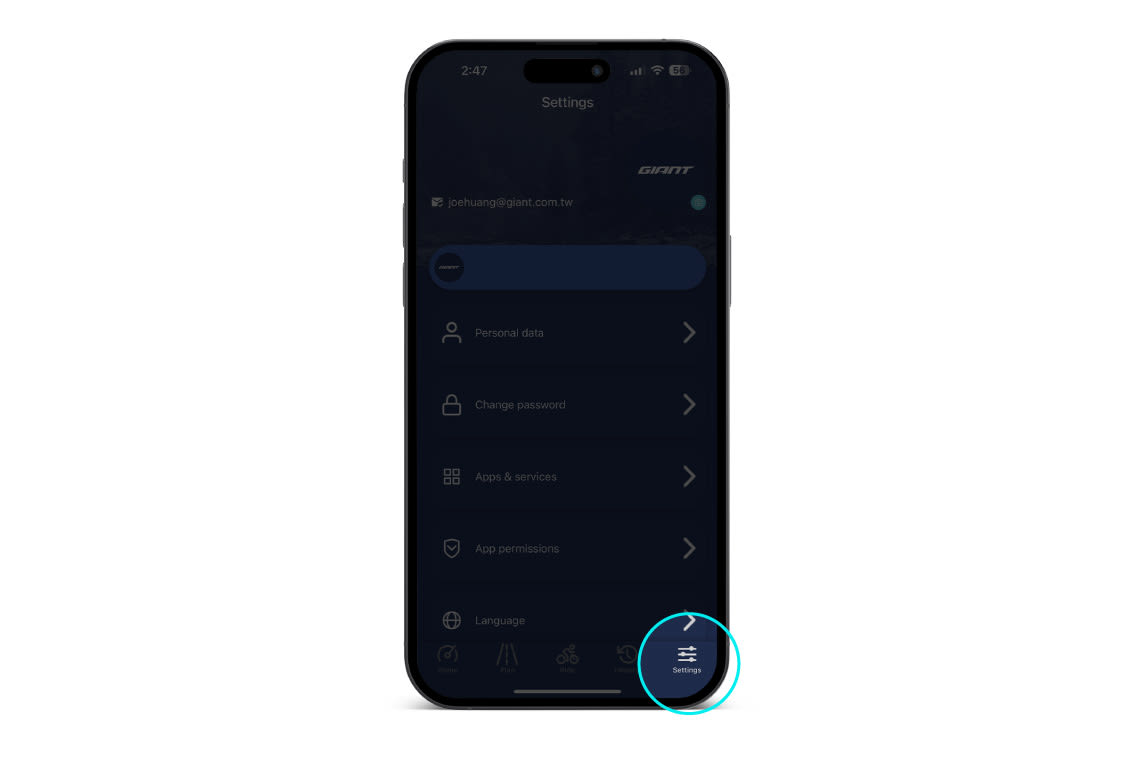
Step 2
Press the "Settings" button
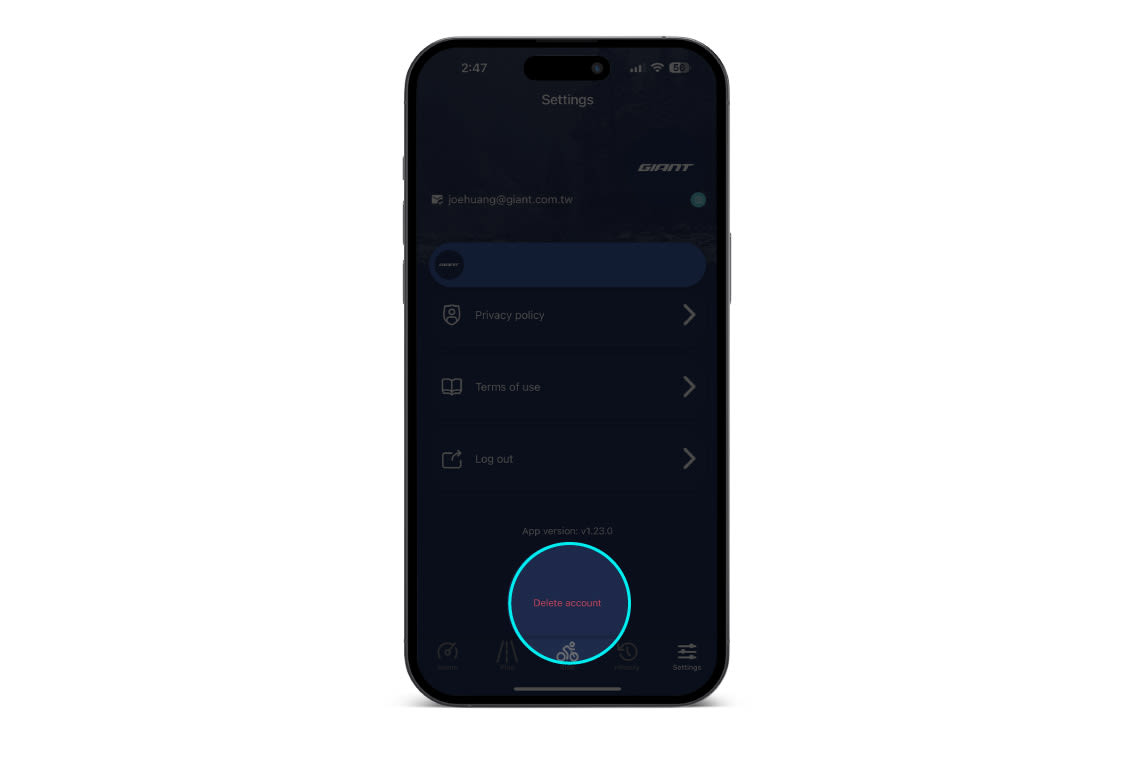
Step 3
Scroll down to "Delete account" button
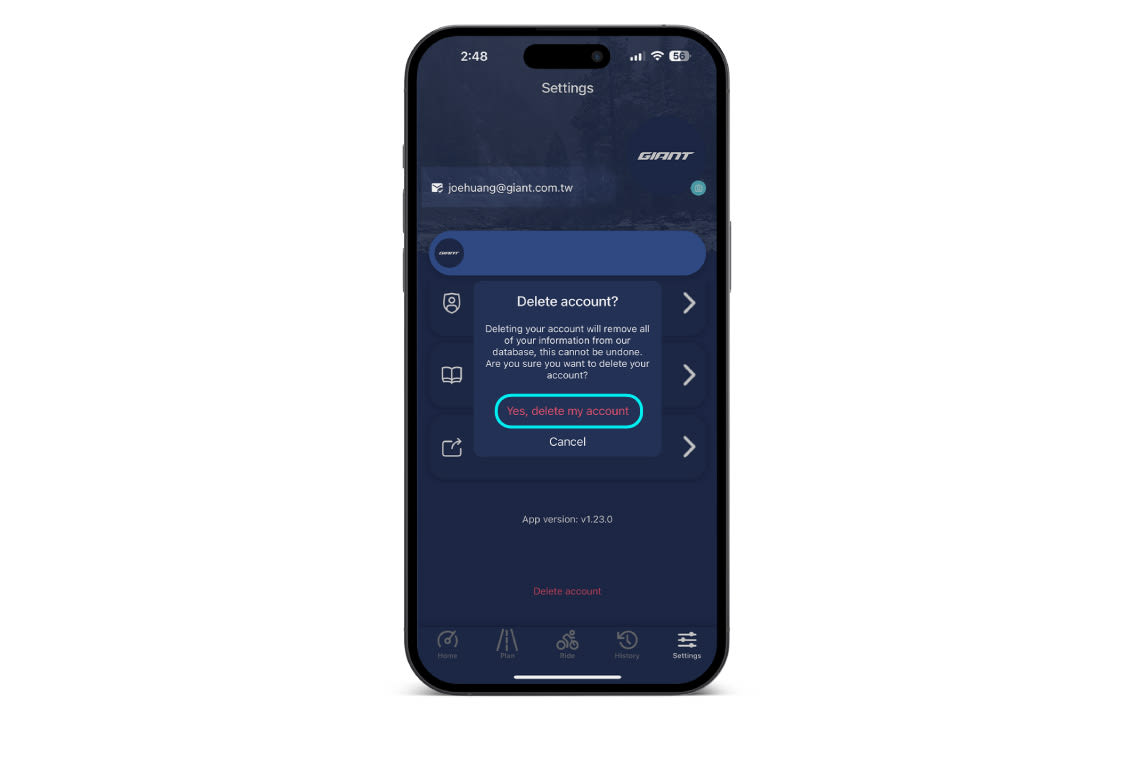
Step 4
Press the "Delete account" button
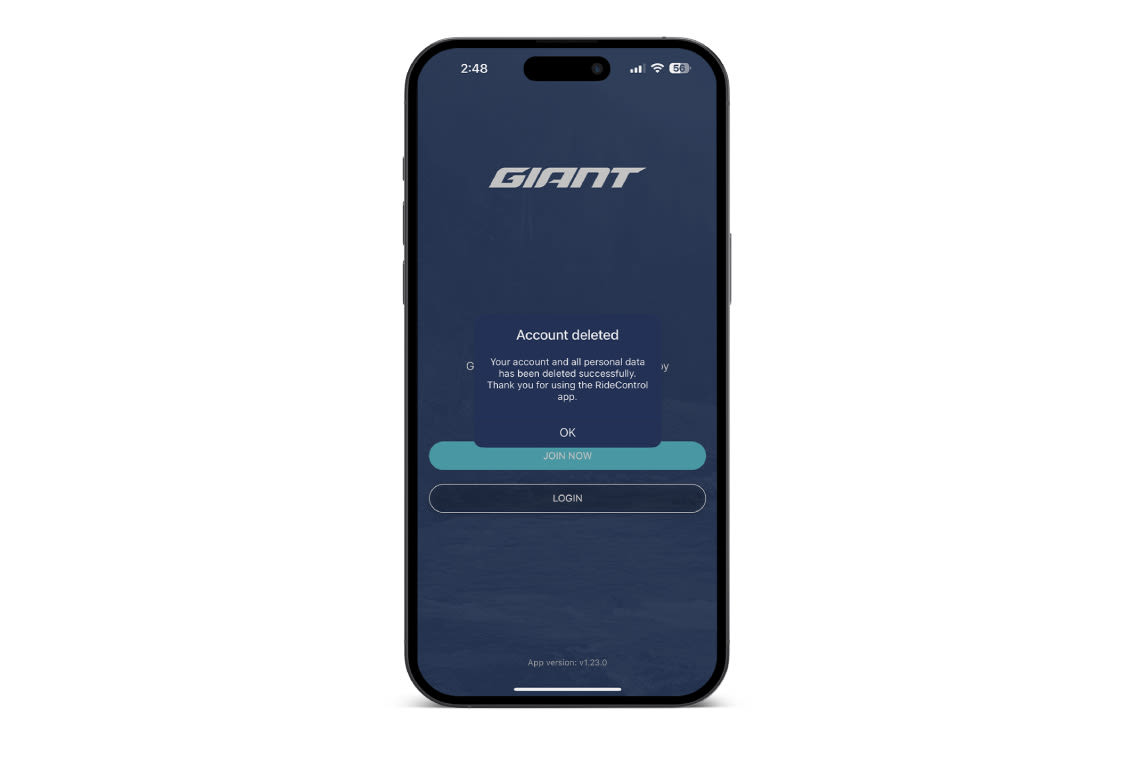
Step 5
Press the "Yes, delete my account" button to confirm. Your account will be deleted immediately from the RideControl App.